Reuse your spreadsheet mapping
Map a UTF-8 CSV once, then reuse its named columns even when their order changes. Match existing posts by ID or a supported unique business key. Review every proposed update before applying it. See the CSV workflow.
Build visual directories with configurable listing layouts and queries, provide authenticated frontend editing and interactive listing controls, collect reviewed submissions, reuse spreadsheet mappings and keep repeat updates under control. Pro gives single-site teams and agencies a reviewed path from incoming data to finished content.
Free includes all 26 field types, repeaters, field creation and storage, WordPress-admin editing, basic display, named blocks, normal WordPress search and developer APIs. Pro supplies the visual directory/listing builder, configurable listing layouts and queries, reader search and frontend edit/create forms.
Deactivating Pro keeps definitions and stored values. Existing saved listings continue rendering, and WordPress-admin editing remains Free. Creating or changing listing definitions and supplied frontend workflows requires activated Pro. Public Pro submissions enter a private review queue; they do not grant anonymous editing.
Map a UTF-8 CSV once, then reuse its named columns even when their order changes. Match existing posts by ID or a supported unique business key. Review every proposed update before applying it. See the CSV workflow.
Keep supported business rules, run optional local scheduled checks and review history. Compare saved field-group baselines and send proposed corrections into a separate bulk review.
Collect new entries or proposed changes with nested fields, conditions, safe references and private uploads. Assign a reviewer, inspect the changes and return entries to signed-in contributors for correction. See supported fields and upload privacy.
Capture selected field groups, content types, taxonomies, blocks and listings as named deployment packages. Export and import them between client sites.
Move selected posts and local media in a reviewed ZIP. Map references explicitly, create new drafts and keep guarded undo. Matching definitions come first.
Edit individual structured values, or prepare a replacement job for up to 2,000 posts. Review before applying, then let approved jobs continue in the background. Process 25 posts per chunk, pause and resume, and undo unchanged chunks. Each chunk is atomic; completed chunks remain if a later chunk stops.
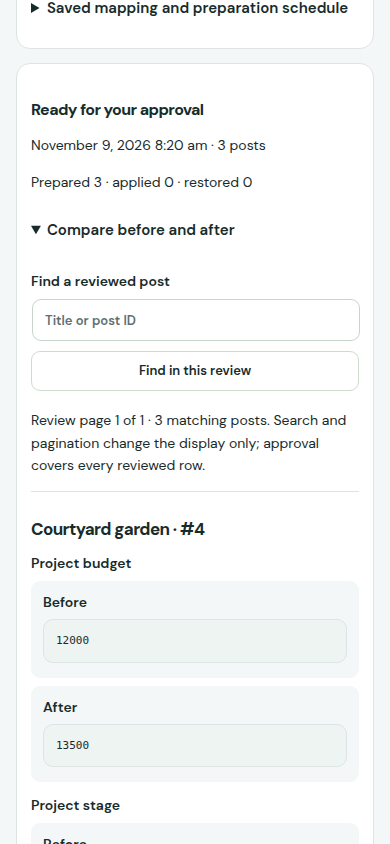
A genuine Pro CSV review with fictional project data. The workflow waits for approval before writing content.
Pro 1.1.2 · Reviewed CSV updates · Free 1.2.4
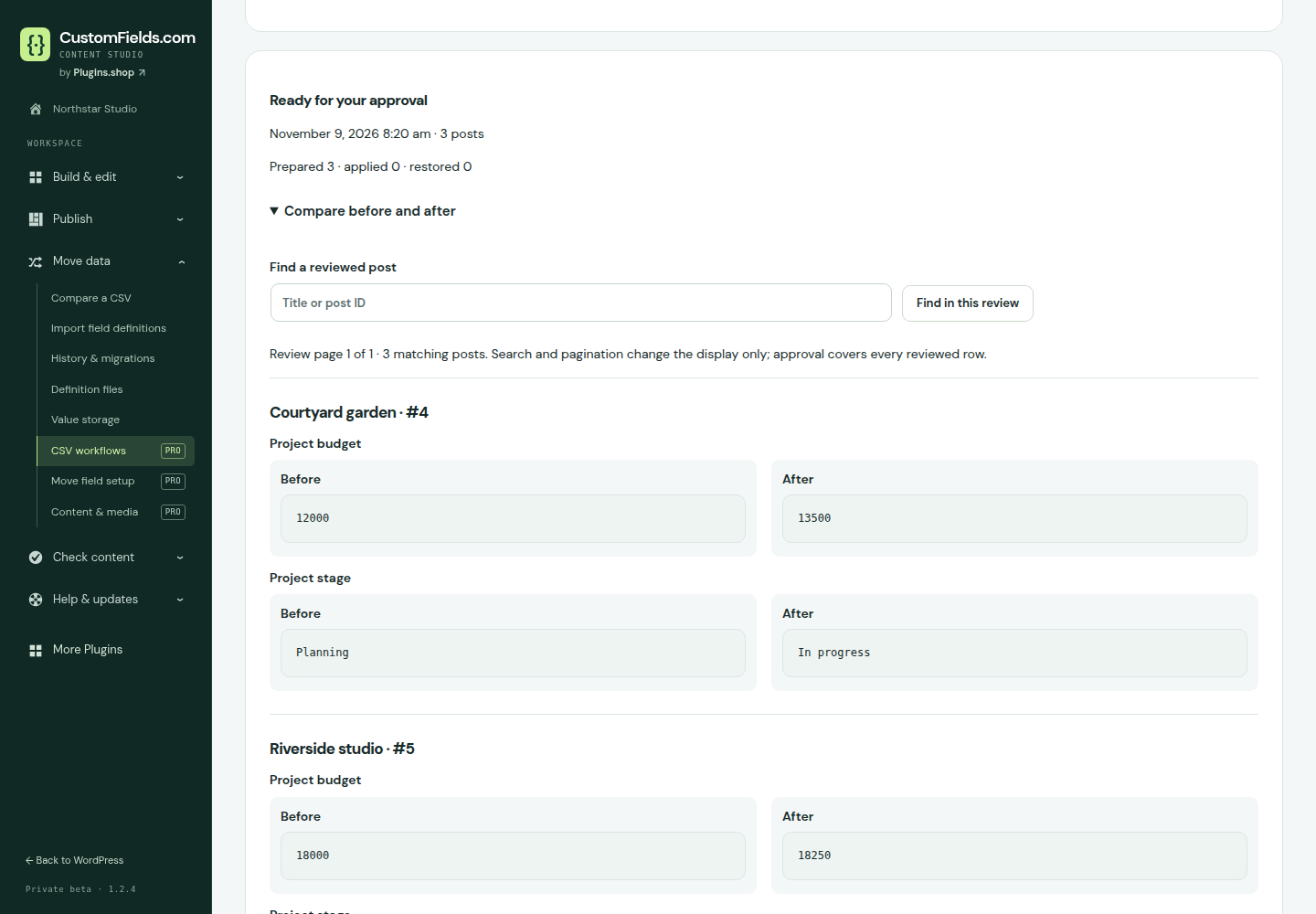
Columns can change order. Missing required headers, ambiguous matches and later content changes stop the workflow for review.
The current account release is Pro 1.1.2 and remains in private beta. Free 1.2.4 is available separately on WordPress.org. Get Pro from your eligible account, check its requirements and test both plugins with your site’s workflows before production use. Installation and update guidance.
Free content tools stay available without a subscription. Pro tools need an initial valid licence activation on each site. New Pro licence activation supports single-site WordPress. Existing confirmed per-site multisite connections retain activation; new multisite licence activation is not available in this release. After that, they keep working if the service is temporarily unavailable or update and support access expires. Choosing Disconnect locks new Pro operations and pauses background work without deleting saved data; activate again to resume Pro use. Private updates and support need active service access.
Annual plans from USD 39, excluding VAT. Choose 1, 5 or 25 sites, with five fixed currencies.
Renews automatically until canceled. Paid checkout is available from the pricing page.
Definition packages contain selected content definitions. The separate Content & media workspace transfers supported posts and local attachments into new draft copies. Themes, credentials and remote server deployment are outside these packages. See the agency workflow.