Give your content structure.
Use all 26 field types, including repeaters, galleries and relationships. Create content types, taxonomies and reusable sections.
CUSTOMFIELDS FREE · WORDPRESS PLUGIN
Create fields, reusable sections and basic display for projects, people and events. Repeaters, galleries and all 26 field types are included.
No account or licence required.
Free 1.2.4 on WordPress.org · WordPress 6.5+ · PHP 7.4+
How to install Updating an existing site?
SEE IT WORK
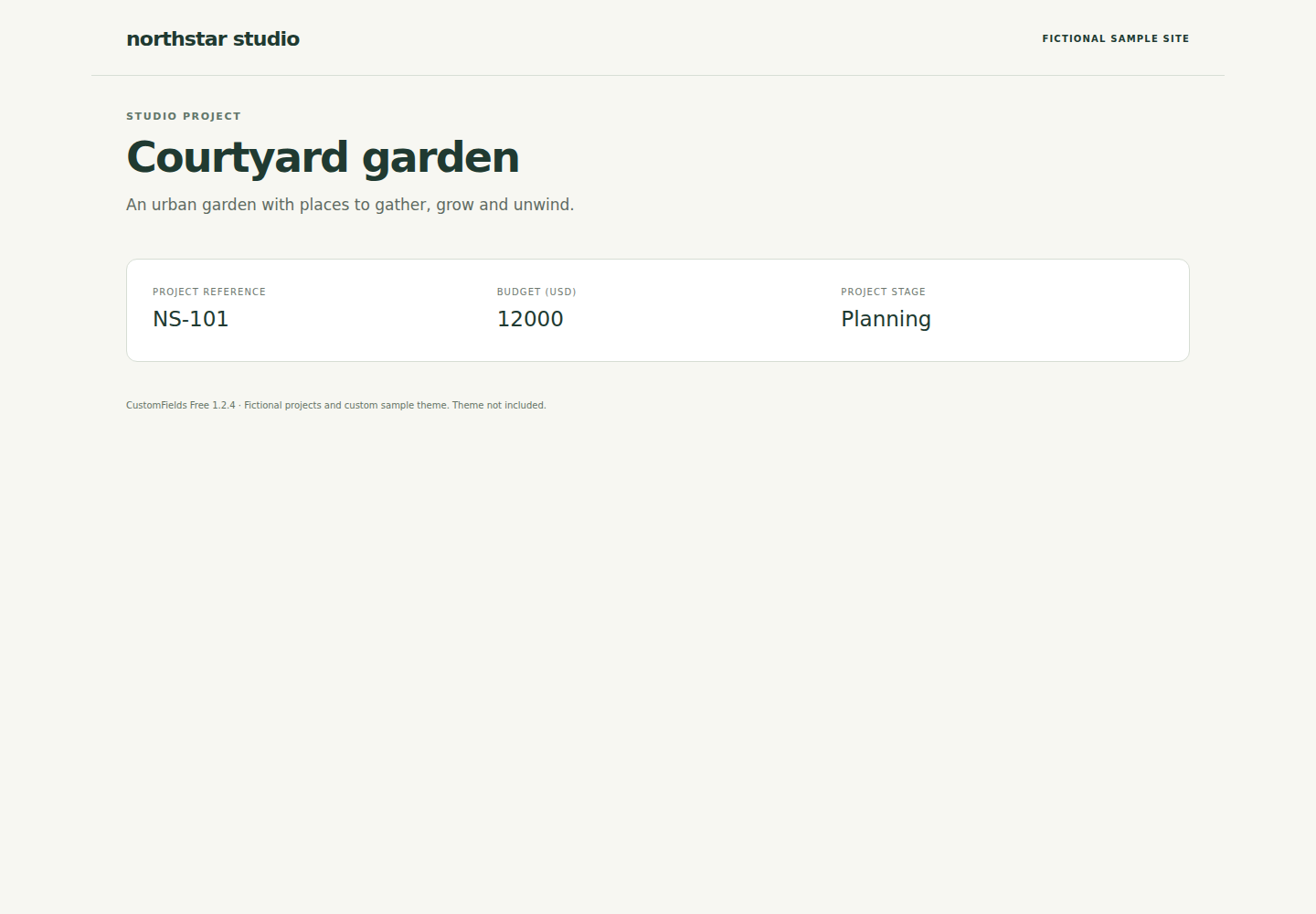
Follow Courtyard garden from its field definitions to saved content and basic field display. Every step uses Free.
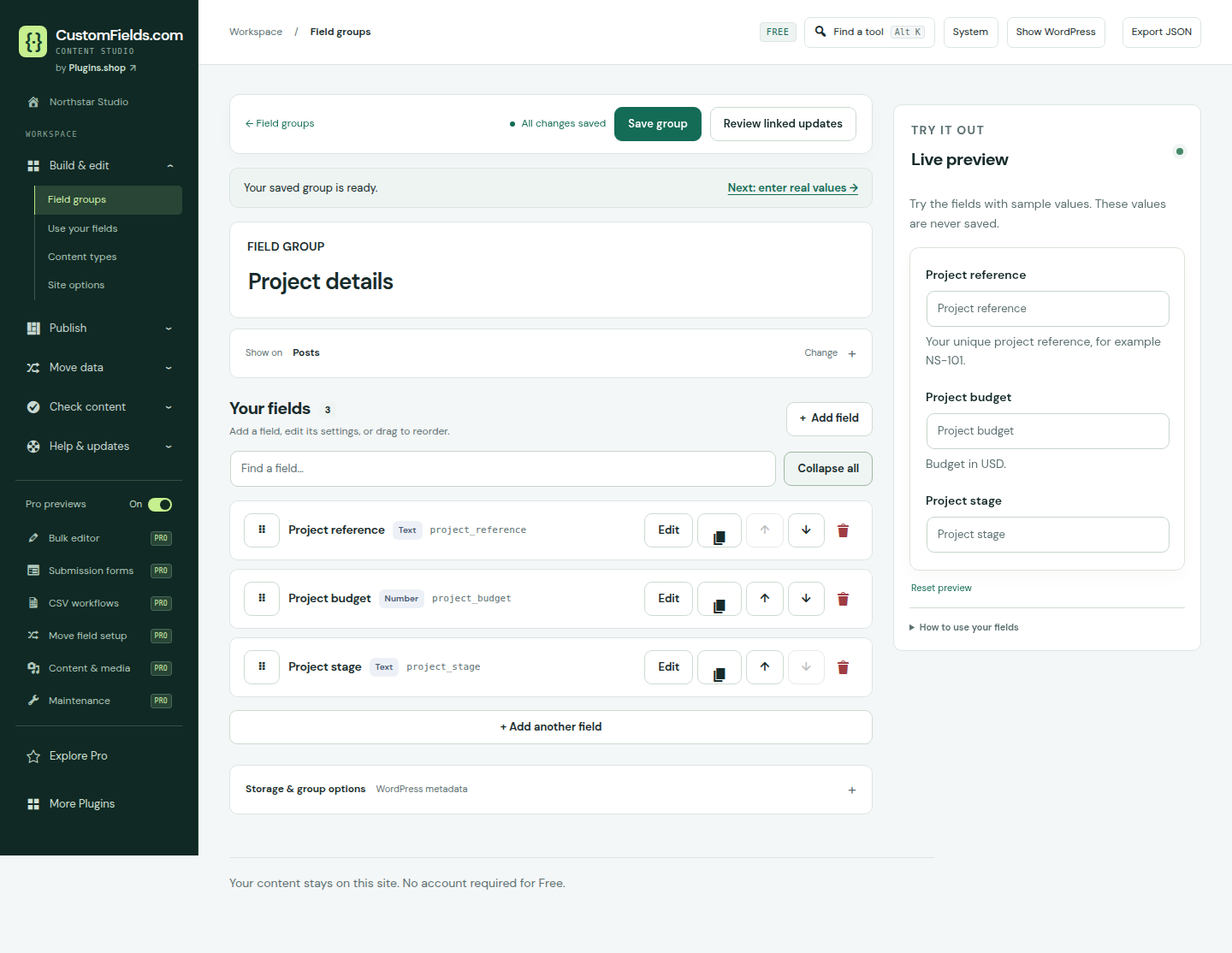
Add a project reference, a budget and a stage. Choose field types and labels that make sense to the people editing your content.
Attach the group to your chosen content type. The builder’s sample preview helps you check the form before saving its definition.
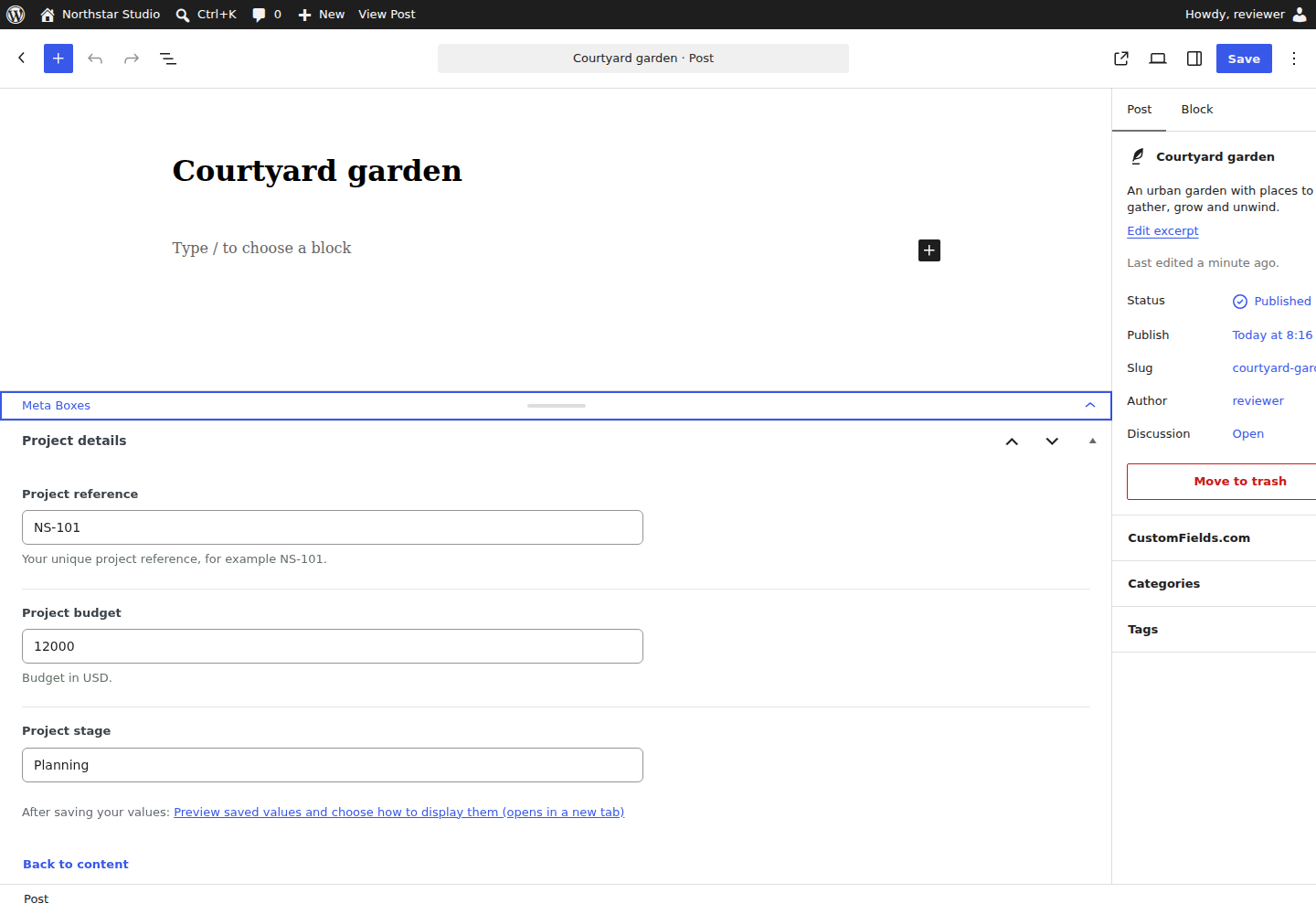
Open the matching project in WordPress and enter its reference, budget and stage. These values are saved with the content.
Add a Custom field block or a field shortcode to display saved values on a page. For images, files and galleries, use format="html" in the shortcode. Use the Custom field repeater block for selected row fields as a list or table. See display examples. Your theme controls the surrounding design.
This example shows the project reference and stage. The surrounding Northstar design is a custom sample theme, not a bundled site template.
Captured on 9 November 2026 with Free 1.2.4 and fictional sample data. Try a small field group in your browser
A USEFUL TOOLKIT FROM DAY ONE
The tools below are included in Free. Choose the ones your project needs.
Use all 26 field types, including repeaters, galleries and relationships. Create content types, taxonomies and reusable sections.
Add instructions and conditional fields. Edit content in WordPress, create named options pages and use field and value history.
Use field blocks, named blocks, shortcodes and basic output with your theme. Elementor output widgets are included too. The visual directory/listing builder and configurable listing layouts and queries are Pro.
Compare a CSV without changing content. Check required values, configured choices and references, then follow links to edit the results.
Nested fields and workflows have practical limits. See supported scope and limits.
Download field definitions as JSON and review changes before importing them. PHP helpers, developer CLI commands and authenticated WordPress REST integration are included. Existing legacy local-file sources are read-only; schema saves do not write server files.
START WITH ONE USEFUL FIELD
You can start with your existing posts and pages. No account, licence or marketing signup is needed.
Download the ZIP from WordPress.org. In WordPress, open Plugins → Add New Plugin → Upload Plugin, choose the file and install it.
Download FreeA normal individual activation opens the CustomFields workspace. Choose what you’re building or Explore on my own.
Back to WordPress stays available.
Create a group for Posts, add a field and save the group. Open a matching post in WordPress, enter a value and save the post.
Follow the getting-started guideFor a smaller start, download the Project title and Project URL example. In the field builder, paste the file’s JSON into the import box, validate and review, then apply. Definitions only; no sample posts or theme.
Already using CustomFields? Follow the upgrade instructions.
WHEN YOUR WORK STARTS TO REPEAT
Pro is in private beta. A valid initial licence activation is required; new activations support single-site WordPress.
BEFORE YOU START
Need a specific detail? Read the documentation or contact support.
No. Free has no licence activation or trial expiry. All 26 field types and the Free tools described here are included. Pro is a separate add-on for additional workflows.
Yes. Use field output, blocks and shortcodes. Your theme controls the surrounding design. Existing saved listings and normal WordPress search remain available. The visual directory/listing builder, configurable listing layouts and queries, supplied frontend edit/create forms and reader search require Pro.
You can export and review CustomFields JSON definitions. Saved-value migrations support specific ACF/Secure Custom Fields and Meta Box formats and require source permissions and a supported database. Some sources, including ordinary Secure Custom Fields 6.9.8 field keys, need additional integration work. These are not automatic whole-site migrations. Read the migration scope before starting.
No. Domain sharing and email signup are separate optional choices, both unchecked initially. You can continue without sharing. Email signup requires inbox confirmation. See what is shared and how to withdraw.
Stored content and field definitions are retained. Plugin-provided fields, blocks and listings need the plugin active to work. Deactivating Pro leaves Free’s WordPress editing, basic display and existing saved listing rendering available.
Yes. Free supports up to 100 field groups, 200 fields per group and 1 MB definition imports. Nested fields, listings and migration workflows have their own limits. Check the practical limits for your project.
MAKE SOMETHING USEFUL
Download Free, open WordPress and give your content the details it needs.